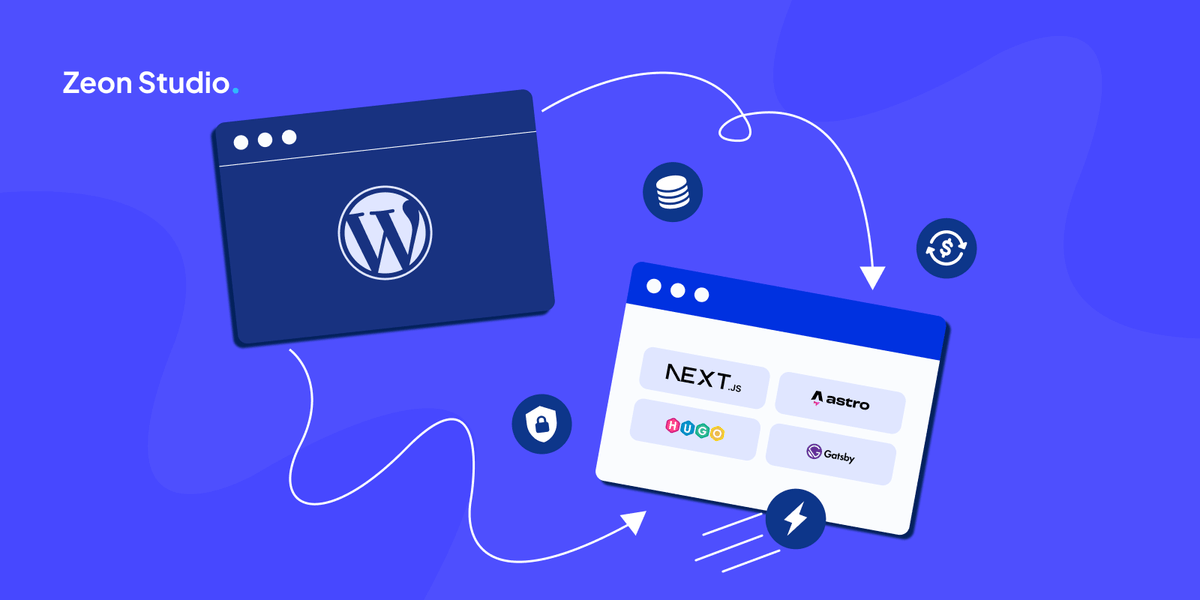
Every extra second your page takes to load costs you potential signups. Most WordPress sites with plugins are adding 2–3 seconds that they don’t know about.
If you are building a SaaS company, your marketing website is the first thing a potential customer sees. Before they try your product, before they talk to your team, they land on your website. It either builds trust or it loses it.
Most SaaS teams build that website on WordPress. It is familiar, quick to set up, and widely used. But familiar is not the same as right. And the data makes a strong case that WordPress is the wrong default for SaaS companies in 2026.
Here is every number behind that claim, where it comes from, what it means, and what to do about it.
1. Is WordPress Secure Enough for a SaaS Marketing Site?
Security is where the gap between WordPress and modern alternatives is widest and most damaging for SaaS companies.
7,966
New vulnerabilities in 2024
34%
More than 2023
43%
Needed no password to exploit
33%
Never fixed before going public
In 2024, security researchers found 7,966 new vulnerabilities in WordPress, a 34% jump from the year before. That is roughly 22 new problems discovered every single day.
43% of those vulnerabilities required no login to exploit. An attacker does not need an account or a password. They just need to find your site. And 33% were never fixed before the details went public, meaning if your site used that plugin, you had no way to protect yourself until the news was already out.
Where do these problems come from?
96% of all WordPress security problems come from plugins, the extra tools people add for contact forms, SEO, live chat, pop-ups, and analytics. The core of WordPress itself had only 7 issues in all of 2024.
Most SaaS marketing sites run between 20 and 30 of these plugins. Each one is a potential way in.
For a SaaS company, a hacked website is not just a tech problem. It damages customer trust, creates compliance issues, and pulls your team away from building your product.
2. How Much Does WordPress Slow Down Your SaaS Website?
Speed is not a nice-to-have for a SaaS marketing site. It directly affects how many people sign up.
40%
Slower with 20+ plugins
2.2s
Added by page builders alone
7%
Fewer signups per extra second
32%
More people leave at 3s vs 1s
A WordPress site running 20 or more plugins loads 40% slower than a modern setup like Next.js. Drag-and-drop builders like Elementor and Divi add between 0.8 and 2.2 seconds on their own.
Google’s own research shows that every extra second your page takes to load costs you 7% of potential sign-ups. A page that goes from 1 second to 3 seconds loses 32% of visitors before they read a single word.
What this means in real numbers
Say your SaaS site gets 10,000 visitors a month and converts 3% into trial sign-ups, that is 300 sign-ups. If your page takes 3 seconds instead of 1 second, you lose roughly 96 of those sign-ups every single month. Just from load time.
That is not a tech problem. That is a growth problem.
Only 41% of websites globally pass Google’s mobile speed test. Most WordPress sites with plugins and page builders fall well below that threshold.
3. What Does WordPress Plugin Maintenance Actually Cost You?
Security and speed get attention because they are easy to measure. Maintenance does not. But for most SaaS teams, it is where the real cost quietly builds up month after month.
4–8 hrs
Lost to plugin maintenance monthly
61%
Sites break after a plugin update
$300–500
Avg. hidden dev cost per month
3x
More likely to delay campaigns
A typical WordPress marketing site runs on 20 to 30 plugins. Each one needs updates. Many of those updates are not optional; they fix security issues or compatibility problems with other plugins.
61% of WordPress sites experience a layout or functionality break after a plugin update. That means your site is in a near-constant cycle of change: an update goes live, something breaks, a developer gets pulled in to find and fix the cause, and the cycle repeats the following week.
Where the cost actually shows up
This does not appear as a single big invoice. It shows up as small interruptions that compound:
Landing pages take longer to launch because a developer is fixing something else
Marketing campaigns get delayed waiting for technical changes
Developer hours quietly shift from product work to site maintenance
At $300–500 per month in hidden dev time, that is $3,600–6,000 per year just to keep your site stable
For a SaaS company, this is the wrong place to spend effort. Your team should be running experiments, improving conversions, and building product, not keeping a marketing site from breaking.
Modern setups using Next.js or Astro remove most of this ongoing maintenance. There are no plugin chains to manage, fewer unexpected breaks, and updates are controlled and predictable. The difference is not just technical; it changes how fast your team can move.
4. Is the Market Already Moving Away from WordPress?
Individual data points can be argued with. Broad market trends are harder to ignore.
65.2%
WordPress CMS share in 2022
60.7%
WordPress CMS share in 2025
$1.8B
Modern web market in 2020
$8.6B
Modern web market in 2025
WordPress CMS market share dropped from 65.2% in 2022 to 60.7% in 2025, its first real, sustained decline after years of growth. That may sound small, but across the web, it represents millions of websites choosing something different.
At the same time, faster and simpler ways to build websites have grown from an estimated $1.8 billion in 2020 to around $8.6 billion in 2025, a 4.8 times increase in five years.
SaaS founders are quietly making this switch. The performance results they get on the other side make it hard to go back.
WordPress vs Modern Stack: Side-by-Side
Here is exactly how the two approaches compare across the metrics that matter most for a SaaS marketing site.
WordPress
Next.js / Astro
PageSpeed Score
45–65 avg
95–100 guaranteed
Security vulnerabilities/yr
7,966 (2024)
Near zero
Plugin maintenance
Weekly
None
Load time (20+ plugins)
+40% slower
Optimised by default
Migration complexity
N/A
One-time project
Cost of ongoing dev time
High
Low
5. What Does a Real Migration Actually Look Like?
The most common concern we hear is: we have years of content on WordPress, so we cannot just switch. That is a fair concern. WordPress migration takes planning. But staying on a slow, vulnerable platform has a cost to it, which just shows up as lost signups and security incidents rather than a one-time project.
A real example
30 → 98
Google PageSpeed Score
~0 hrs
Weekly maintenance time
The site “Antiparos Homes” went from a PageSpeed score of below 50 to 98. Weekly maintenance dropped to almost nothing. The team stopped spending time on plugin updates and security patches and went back to focusing on the product.
What the migration covered
All existing pages and blog posts have been moved across
Every URL was kept the same, so search rankings were not affected
Content editors got a simpler dashboard to update the site
Speed and security were tested before and after to show exactly what changed
6. What Should a SaaS Company Use Instead of WordPress?
We want to be specific here because ‘use something better’ is not helpful advice.
For building the site
Next.js— best if your team knows React, or if you need user accounts or complex features near the marketing site. Handles server-side rendering, static generation, and API routes in one framework.
Astro — best for content-heavy sites where speed is the top priority, and the team is small. Sends zero JavaScript by default, which is why Astro sites regularly hit 100/100 PageSpeed scores.
For managing content
Sitepins — best for teams handing off content to non-technical clients or marketers. Visual editing with full Git version control, so every change is trackable and reversible without touching code.
TinaCMS — good for technical teams who want editors to update content without touching code. Git-based, so content changes go through the same review process as code.
CloudCannon — better editor experience for marketing teams managing content day to day. Visual editing with no technical knowledge required.
For putting it online
Vercel — works seamlessly with Next.js, fast global delivery, and built-in performance analytics.
Netlify — flexible and reliable, works well with any modern framework, strong form and function support.
Every website Zeon Studio builds with this setup comes with a guaranteed Google PageSpeed score of 95 to 100. Pages load fast. Nothing to patch every week. No security problems hiding in the background.
Frequently Asked Questions
Why should SaaS companies not use WordPress?
WordPress creates three compounding problems for SaaS companies: slow load times that reduce trial signups, frequent security vulnerabilities from plugins that damage customer trust, and ongoing maintenance costs that pull developer time away from the product. In 2024, WordPress had 7,966 documented vulnerabilities, and sites with 20+ plugins load 40% slower than modern alternatives like Next.js or Astro.
Is WordPress secure enough for a SaaS marketing site?
No, not without significant additional investment. WordPress had 7,966 documented vulnerabilities in 2024, 96% of which came from plugins. 43% required no login to exploit. For a SaaS company where customer trust is critical, this risk profile is too high.
What is the best alternative to WordPress for SaaS websites?
Next.js paired with a headless CMS like TinaCMS or CloudCannon, is the most widely adopted modern stack for SaaS marketing sites. Astro is the better choice for smaller teams prioritising speed above all else. Both consistently score 95–100 on Google PageSpeed.
How much does WordPress actually slow down a SaaS website?
A WordPress site with 20 or more plugins loads 40% slower than a clean setup. Page builder tools like Elementor add 0.8–2.2 seconds on their own. Google research shows every extra second costs 7% of signups, so a 2-second difference can mean losing 14% of potential trials monthly.
How long does migrating from WordPress to a modern stack take?
A standard SaaS marketing site with 10–30 pages typically takes 3–6 weeks, including content migration, URL preservation for SEO, and testing. The one-time cost of migration is usually recovered within 2–3 months through reduced maintenance spend and improved conversion rates. Zeon Studio typically completes SaaS marketing site migrations in 3–6 weeks, including content migration, URL preservation, and performance testing.
Can non-technical marketing teams manage a Next.js or Astro site?
Yes, with the right CMS layer. CloudCannon provides a visual editing interface that non-technical editors can use without touching code. TinaCMS offers inline editing with a live preview. Neither requires the team to understand the underlying framework.
The Bottom Line
WordPress is not broken. For simple blogs and small business sites, it is still a reasonable choice.
But SaaS companies have specific needs for speed that affect trial conversions, security that affects customer trust, and low maintenance so the team can focus on the product.
7,966 security vulnerabilities in one year. Pages 40% slower than they need to be. 7% fewer signups for every extra second. 4–8 hours of developer time lost to maintenance every month. These are not small issues. They compound quietly over months and years.
WordPress is the wrong default for SaaS in 2026. The right setup is one that is fast, secure, and out of your way so you can focus on growing your product, not maintaining your website.