
Farhad Hossen•8 mins
A Complete Guide to Connecting GoHighLevel with Claude Code, Cursor, and Gemini CLI
- AI
- Marketing
Read in 9 mins
GoHighLevel covers CRM, funnels, and automations, but agencies scaling past its limits need custom apps. See when you need one and how it works.

Author
Farhad HossenPublished on
Categories
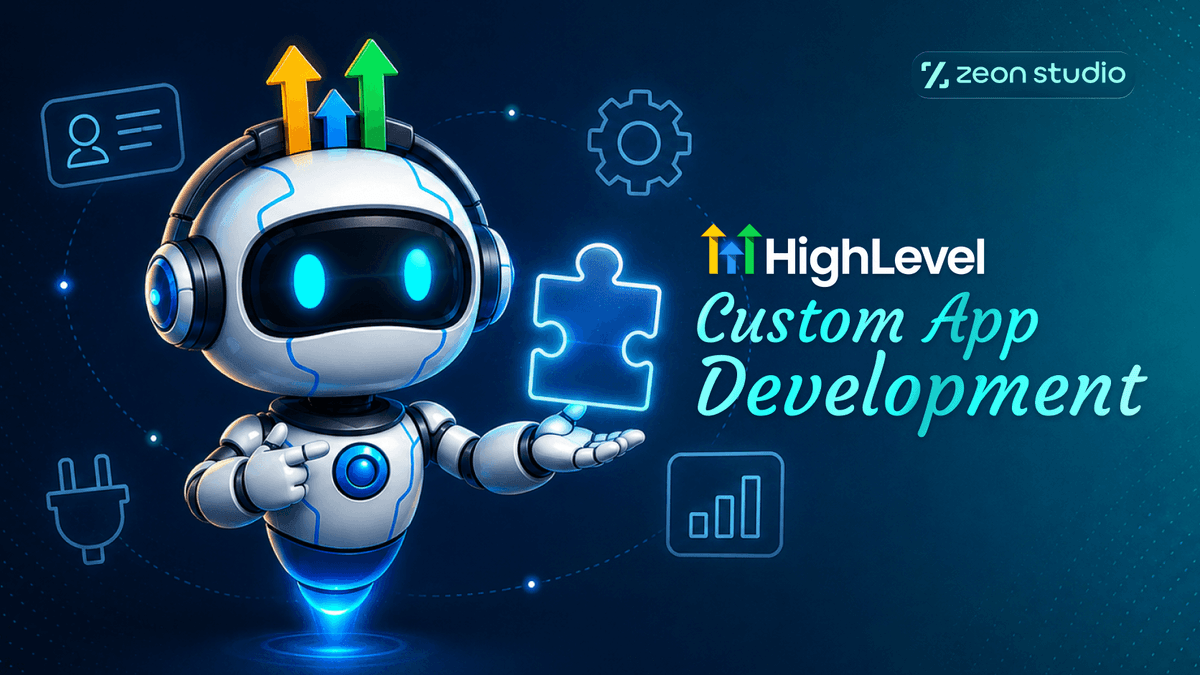
GoHighLevel offers a comprehensive suite of features, including CRM, funnels, automations, calendars, and payments. However, agencies and SaaS businesses operating on the platform for long enough eventually might encounter limitations as they scale. A client may need GHL connected to a proprietary system it was never designed for, or a niche business may require functionality that is not available natively. Users may require custom workflows or dashboards that the native automations cannot produce. In other cases, a team may need to integrate multiple external services simultaneously in a way that goes beyond what a single integration can handle.
Custom development bridges these gaps by extending the platform’s core capabilities rather than replacing them. This lets you resolve specific bottlenecks, reducing manual overhead and saving you from the cost of a full platform migration.
This guide covers what custom apps are, when you genuinely need one, how they get built, and what to consider before starting.
A GoHighLevel custom app is software, built by a developer, that connects to your GHL account through its official API to do something the platform doesn’t do on its own.
It helps to separate a few terms people use interchangeably:
A custom app can be as small as a single internal dashboard, or as large as a product other agencies pay to install from the GHL Marketplace.
Custom development makes sense once you’ve ruled out the simpler options. Here are the signals that usually mean it’s time.
Have a workflow you’re not sure can be solved natively? Talk it through with our team to help you make a decision
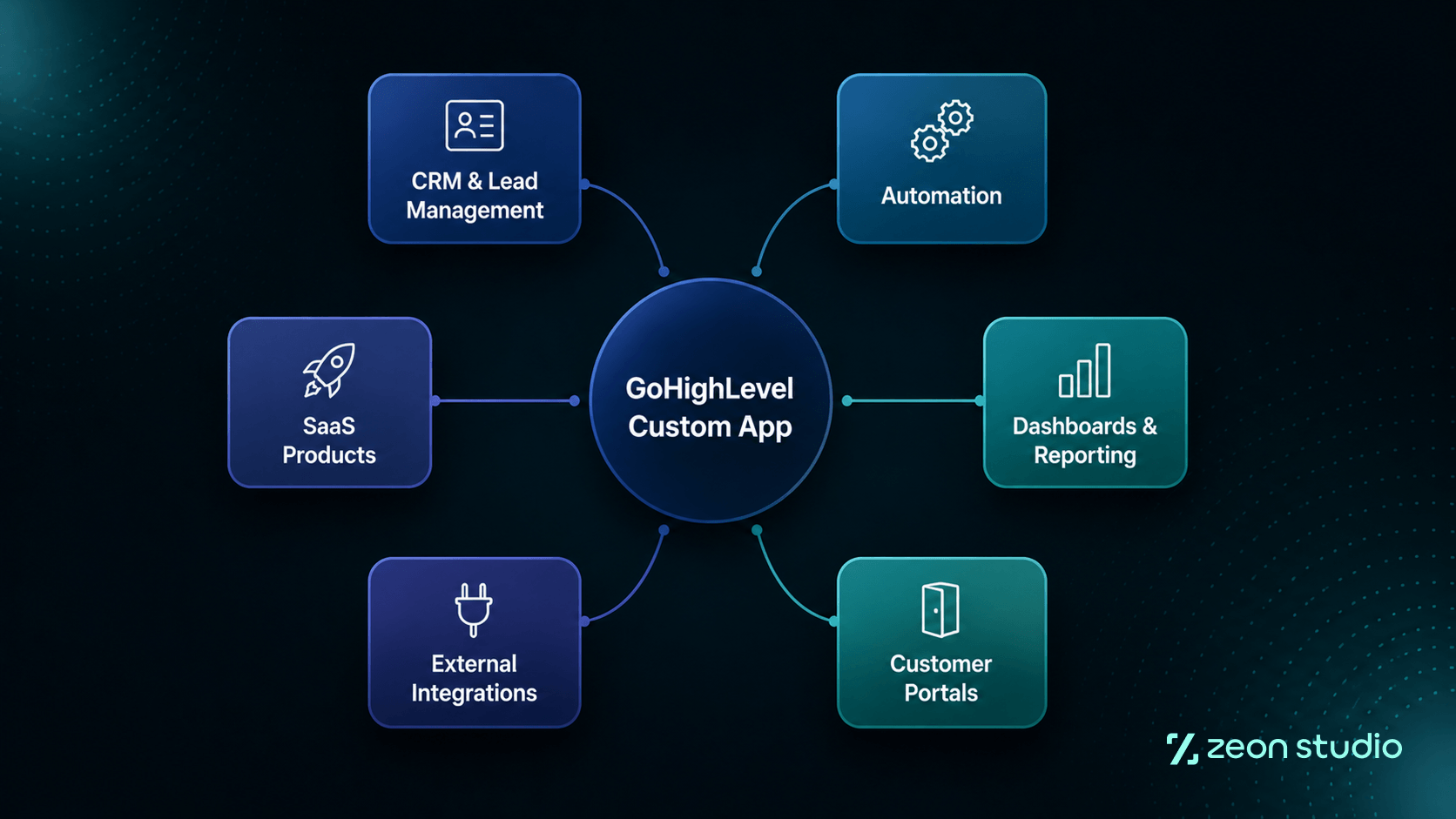
Custom apps span a wide range, from small internal tools to full products.
| Category | What It Covers |
|---|---|
| CRM and lead management | Custom lead tools, enrichment from outside data, tailored qualification workflows |
| Automation | Triggers and actions beyond native workflow steps, external system automation |
| Dashboards and reporting | Analytics across multiple accounts, business-specific metrics |
| Customer portals | Client-facing interfaces and controlled access to CRM data |
| External integrations | Payment systems, communication platforms, industry-specific tools |
| Marketplace or white-label products | A workflow you built once, packaged for other agencies to install or rebrand |
You can see some of our custom apps on our free GoHighLevel resources page
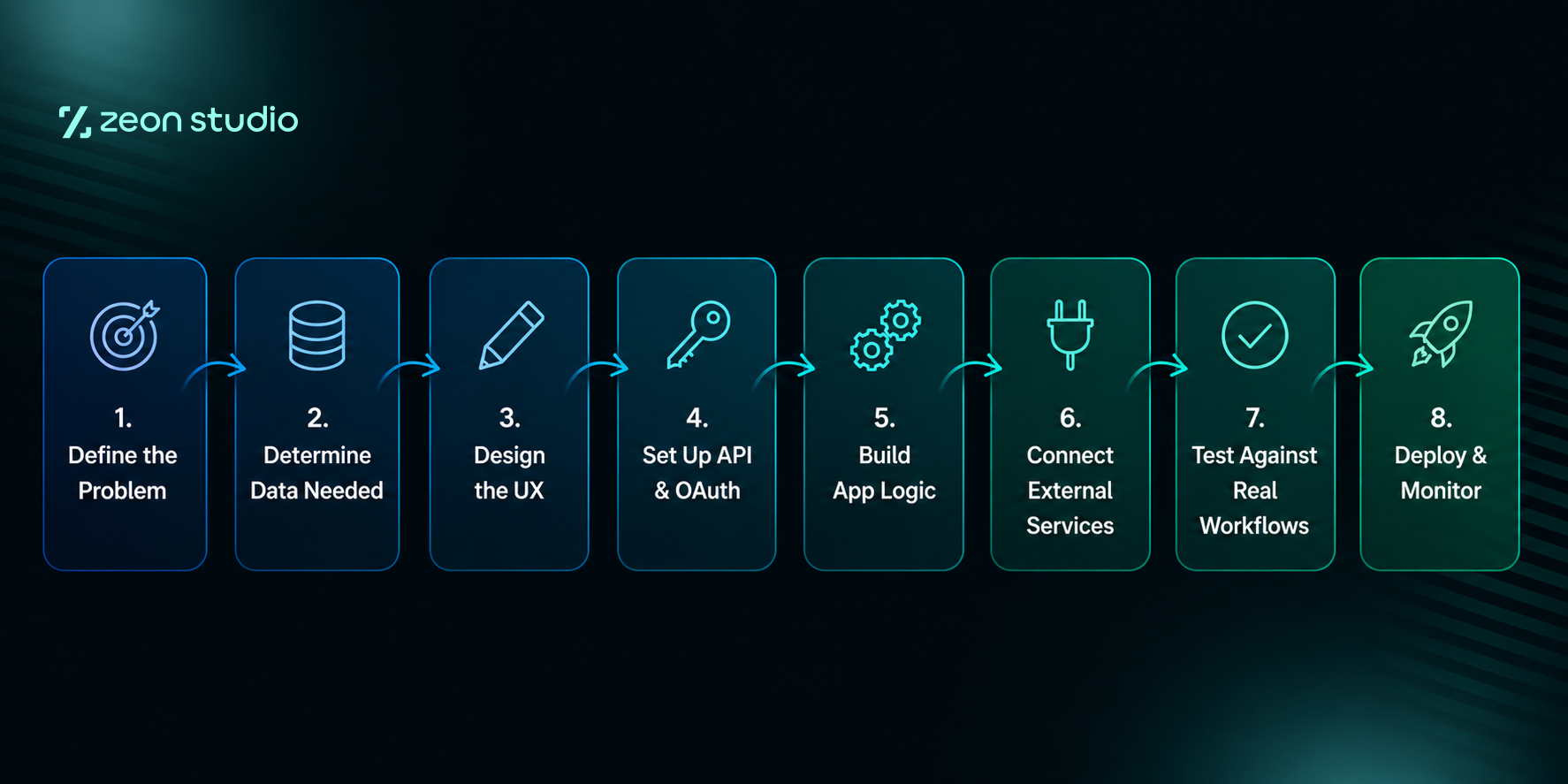
You don’t need to understand every technical detail but knowing the shape of the process helps you form an idea on what to expect. Here’s the typical flow, at a high level.
The real work here is designing business logic that holds up when data is messy, accounts behave differently, or something on GHL’s end changes without warning.
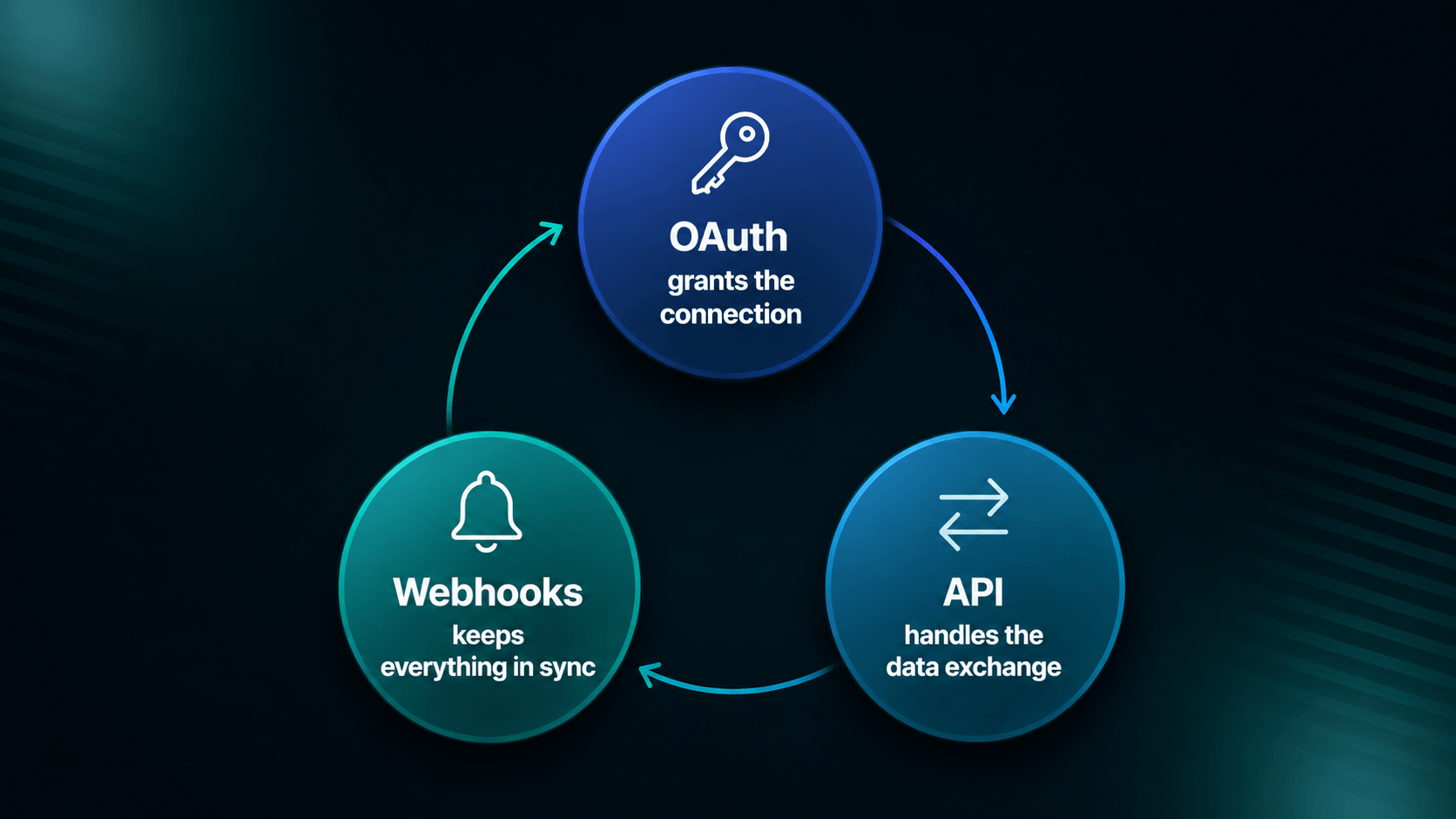
These three terms come up constantly during the development process, it’s best practice to have an understanding of what each one means.
In practice, these three work together. OAuth grants the connection, the API handles ongoing data exchange, and webhooks keep everything synced in real time. The exact combination depends on what the app actually needs to do, and a developer worth hiring should be able to explain that combination for your specific case without reaching for jargon.
Before committing to a custom build, it helps to see the range of options side by side.
| Approach | Best For | Complexity |
|---|---|---|
| Native GoHighLevel features | Standard CRM and automation needs | Low |
| Existing integration | Common third-party connections | Low |
| Webhooks | Event-based communication between systems | Low to Medium |
| API integration | Custom data exchange without a full app | Medium |
| Custom app | Unique workflows and functionality nothing else covers | Medium to High |
GHL supports a few distinct app types, and each one solves a different kind of problem.
| App Type | What It Does | Best For |
|---|---|---|
| Custom menu links | Adds a custom page or tool inside the GHL sidebar | A branded tool your team or clients access from their existing GHL login |
| Webhooks / workflow actions | Triggers custom code or a third-party action from inside a workflow | Extending automations past what native actions can do |
| Marketplace apps | A public, installable app other GHL accounts can add | Recurring revenue from other agencies |
| Conversation providers | Plugs a custom channel into GHL’s unified inbox | Adding a communication channel GHL doesn’t support natively |
| Payment providers | Connects an alternative payment processor to GHL | Payment setups GHL’s built-in options don’t cover |
| Private integrations | A one-off connection used inside a single account | Solving an internal workflow gap without listing publicly |
A quick clarification worth knowing: GHL’s legacy “API Keys” (v1) reached end-of-support on December 31, 2025, and new accounts can no longer generate them. Private Integration Tokens (PITs) are a separate, still fully supported method for single-account, internal connections. They’re not being phased out; GHL has kept building on them, including recent sandbox support for easier testing before going live. If a developer tells you PITs are outdated, that’s a sign they haven’t kept up with the platform.
Custom app development on GHL comes with a handful of real, recurring challenges. Knowing them upfront helps you evaluate a developer’s skill.
Cost depends on the number of integrations involved, the complexity of the API work, how many workflows the app needs to handle, whether it needs a custom UI, how complex the authentication requirements are, whether it needs to support multiple accounts, what reporting or dashboard functionality is involved, how many external services it connects to, and how much testing and ongoing maintenance the app will need after launch.
Rather than a fixed price, it’s more useful to think in project categories:
Want to discuss the scope and range of a custom GoHighLevel app development project? Get a custom app development estimate based on what you’re actually trying to build.
Build in-house when:
Hire GHL Experts when:
Specialized GHL experience tends to reduce the trial-and-error that comes with a first build on this platform, since a lot of the API’s quirks only show up after you’ve built inside it more than once.
A few questions worth answering first, whether you build in-house or hire:
A custom app is usually worth building when the workflow happens often enough that manual handling gets expensive, the functionality creates a real edge over competitors, it will be used across multiple clients or accounts, and the expected value clearly justifies the cost of building and maintaining it. Build only what solves that specific problem, not what seems impressive.
If you decide to hire, you have two broad options.
Freelancers are often the cheapest option upfront, and some are genuinely excellent. The trade-off is usually depth and continuity. A freelancer working across many clients may not have built specifically inside the GHL API before, and ongoing support depends on their individual availability going forward.
Web agencies with GHL specialization combine both strengths: the broader web development skill set, hosting, front-end, general architecture, plus GHL-specific expertise built from repeated work inside the platform’s API, rate limits, and review process. That combination tends to produce a more coordinated team and a shorter timeline.
Zeon Studio has 8 years of experience in custom web and SaaS development, and we’ve brought that into GoHighLevel specifically over the past several years. We’ve built and shipped our own GHL Marketplace apps:
We’ve also built GHL website templates for agencies and coaches, so we work on both the app side and the front-end side of the platform. You’re welcome to check our work yourself on our GoHighLevel Expert page.
We also build white-label apps and systems, so if you’d rather sell the tool under your own brand instead of ours, that’s an option too. You get a working product without carrying the engineering overhead of building and maintaining it yourself.
Have an idea you want to scope? Book a free 20-minute call and tell us what you’re trying to build.
Can I build a GHL marketplace app without coding?
No. Marketplace apps require OAuth implementation, API integration, and code that meets GHL’s review requirements. No-code tools like Zapier can handle simple internal automations, but they can’t produce a listable marketplace app.
How long does GHL marketplace app review take?
Review timelines vary based on the app’s complexity and how closely the initial submission matches GHL’s technical requirements. Apps that follow GHL’s guidelines closely on the first submission tend to move through review faster than apps that need multiple rounds of fixes.
What’s the difference between a private app and a marketplace app?
A private app is built for one account and never listed publicly. A marketplace app is built to be discovered and installed by other GHL users, which means it goes through GHL’s review process and needs to handle multiple accounts at once.
Do I need my own hosting for a GHL custom app?
Yes. GHL doesn’t host your app’s backend. You need your own hosting for the app’s server, database, and any logic that runs outside of GHL’s workflows.