

Farhad Hossen•8 mins
A Complete Guide to Connecting GoHighLevel with Claude Code, Cursor, and Gemini CLI
- AI
- Marketing
Read in 8 mins
GoHighLevel's AI Studio builds websites fast, but its React SPA architecture makes organic search unreliable. Here's what the problem is, why the built-in fix doesn't fully solve it, and what to use instead.

Author
Farhad HossenPublished on
Categories
GHL AI Studio is a conversational website builder inside GoHighLevel. You describe your business in plain language, and it generates a full page layout, copy, and visuals. You refine through follow-up prompts instead of dragging and dropping elements manually.
It is available under Labs in your GHL sub-account.
AI Studio goes beyond basic pages. You can build multi-step surveys, branded booking flows, lead capture experiences, and appointment pages from one workspace. Forms and calendars connect directly to your GHL CRM, so submissions feed straight into your pipeline and trigger automations.
For agencies that need to move fast or business owners who want something live quickly, AI Studio looks like a complete solution. The SEO problem does not appear until you look at how the pages are built.
AI Studio builds websites as React-based Single Page Applications (SPAs). That is the technical root of the SEO issue.
A React SPA loads a nearly empty HTML shell in the browser, then uses JavaScript to render the actual page content. For a human visitor with a modern browser, the page looks and feels normal.
For a search engine crawler, it is a different experience.
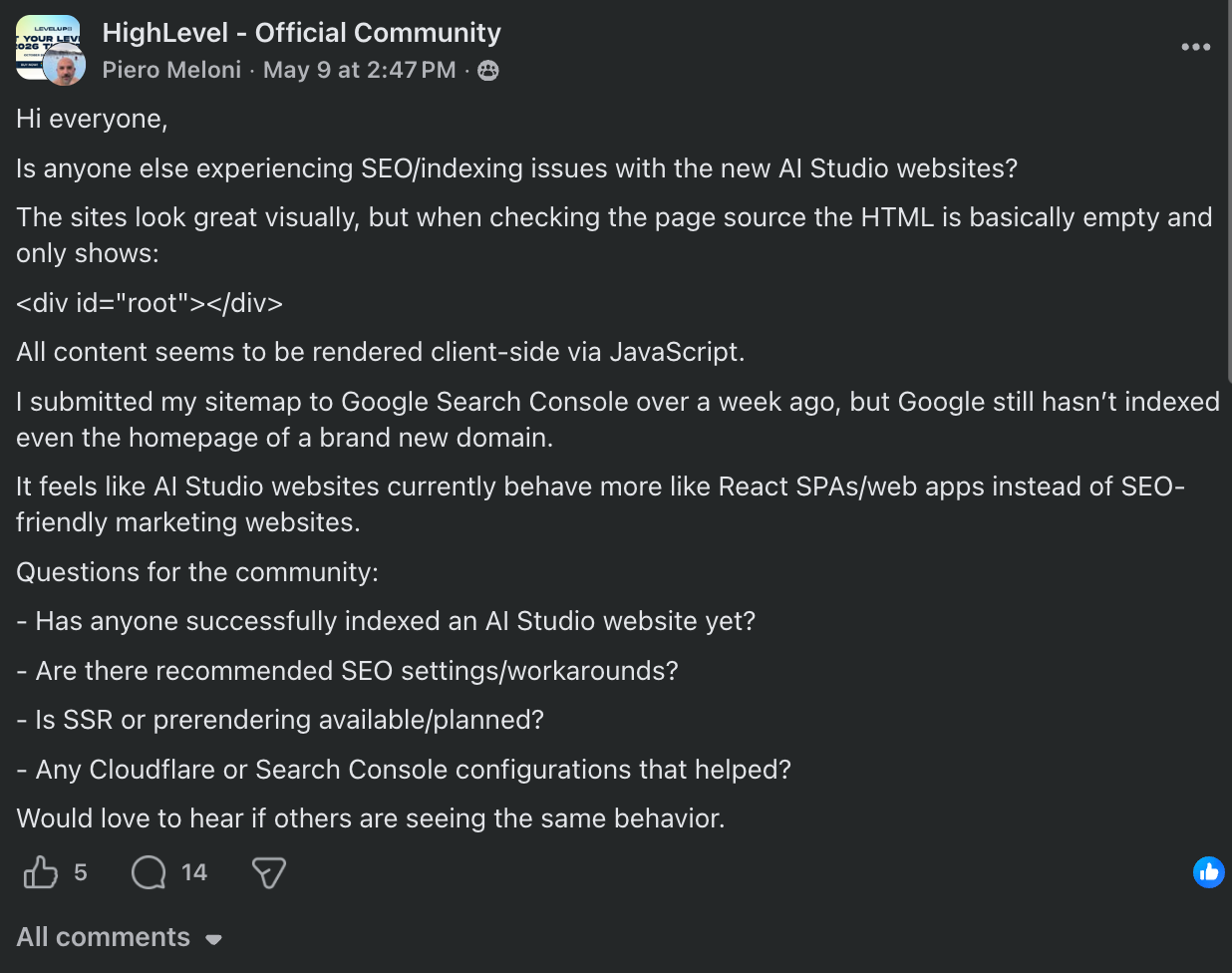
Google’s crawler reads the raw HTML source of a page. On an AI Studio site, that raw source often contains very little - a thin shell with no real content. The text, headings, images, and links that should be indexed are only visible after JavaScript executes. Crawlers either cannot execute that JavaScript reliably or handle it inconsistently.
The result: Google may not see your page content at all, or may see an incomplete version of it. Pages that look polished to a visitor can appear nearly empty to a search engine.
React SPAs have had this problem for years. It is not new and it is not a minor configuration issue. It is structural.
No. GHL support confirmed this in May 2026.
A user who contacted the GHL team directly received this response: AI Studio websites are fully client-side rendered (CSR) and currently do not support SSR (Server-Side Rendering), static prerendering, or any SEO rendering mode. This behavior is expected. AI Studio is designed as a React SPA builder, not an SEO-first website builder.
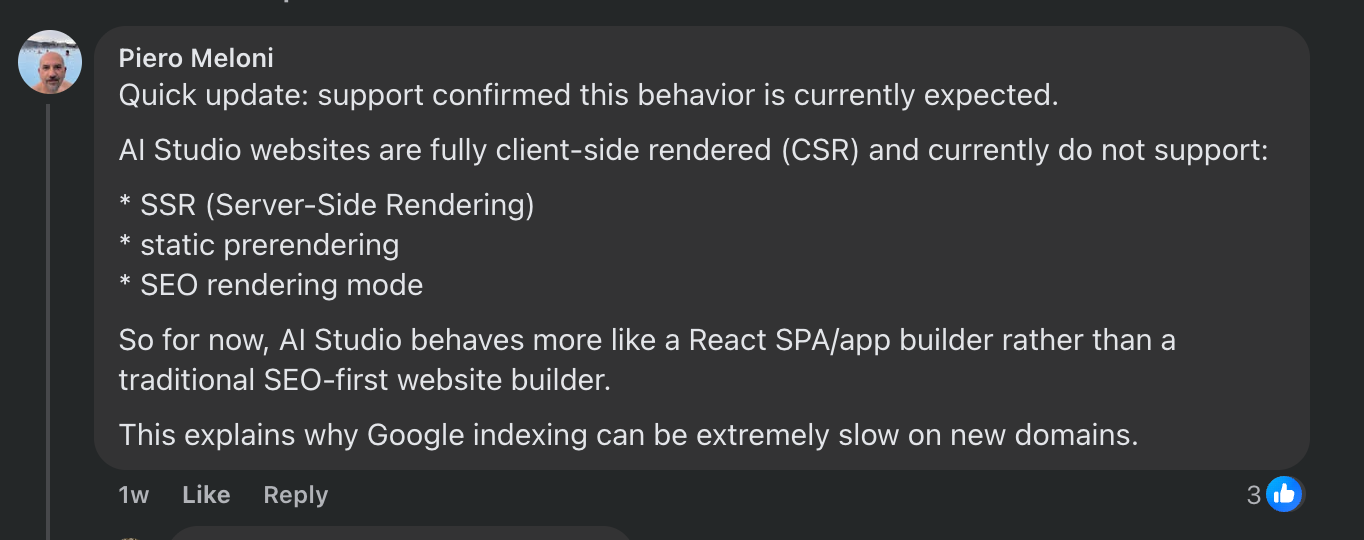
That is not a community workaround or a misread of the documentation. That is GHL’s own support team describing what the product does.
GHL does acknowledge the crawlability issue in their documentation, noting that AI Studio sites “can sometimes be harder for search engines and crawlers to read by default.” Their response is a feature called Advanced SEO Support, which you enable on your AI Studio project. Based on the May 2026 support confirmation, this feature does not change the underlying CSR architecture.
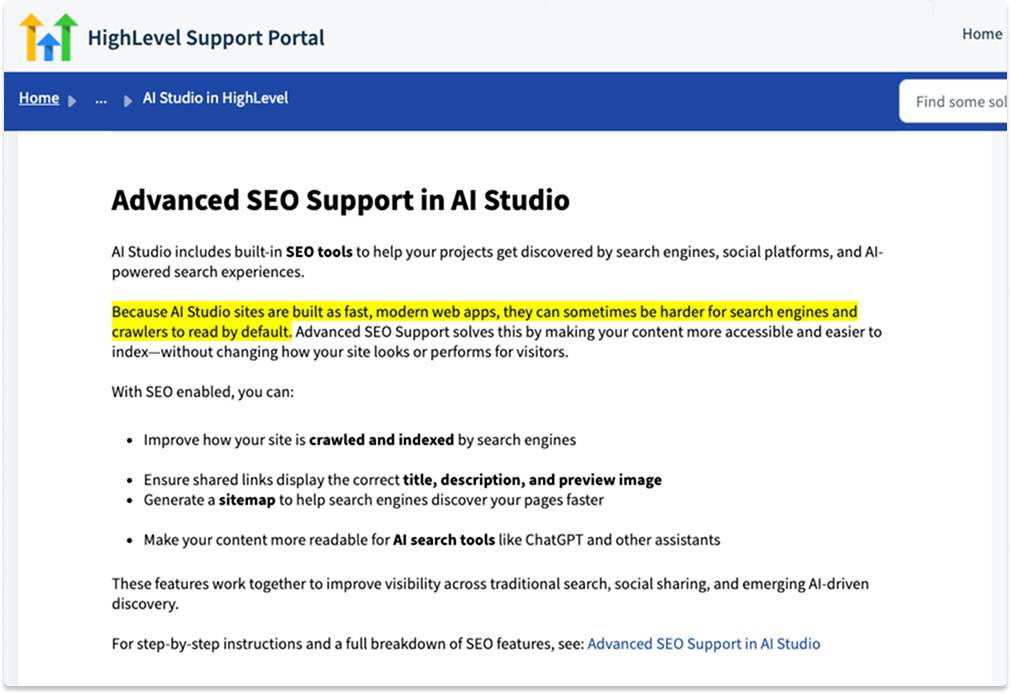
What this means in practice:
This is not a bug GHL is working to fix. It is how the product is built. If you need organic search, you need a different tool for your website.
The rendering issue is the biggest problem, but it is not the only one.
You cannot attach a blog to a standard /blog path on an AI Studio site. For most service businesses, the blog is the main driver of organic traffic over time. No blog means no content strategy and no compounding SEO growth.
Google Tag Manager struggles with React SPAs because the browser does not do a full reload when moving between pages. It updates the DOM instead. GTM’s standard pageview trigger does not fire. Tracking conversions and user behavior accurately becomes genuinely difficult, which affects both SEO measurement and paid campaign optimization.
Some users report that AI Studio sites have poor visibility in AI-driven search surfaces like Google AI Mode, ChatGPT Search, and Perplexity even when traditional SEO scores look fine. This tracks with the rendering problem: if the raw HTML is thin, AI crawlers have nothing to extract and cite.
Sites built in AI Studio cannot be moved into GHL’s standard Websites or Funnels builder. If you decide to switch approaches later, you are rebuilding from scratch.
Changing something that appears across the whole site - a phone number, address, or tagline - requires finding and updating every instance manually or through prompts. There is no global variable system. For agencies managing multiple client sites, this adds up quickly.
None of this is a reason to leave GHL. It is a reason to use GHL for what it does well.
GHL is one of the best tools available for:
Organic search performance was not the primary design goal for AI Studio. The smarter approach is to stop asking one tool to do two jobs that require different technical foundations.
A headless setup separates your public-facing website from your CRM. Your website lives on a fast, SEO-optimized stack. GHL handles everything that happens after a visitor submits a form.
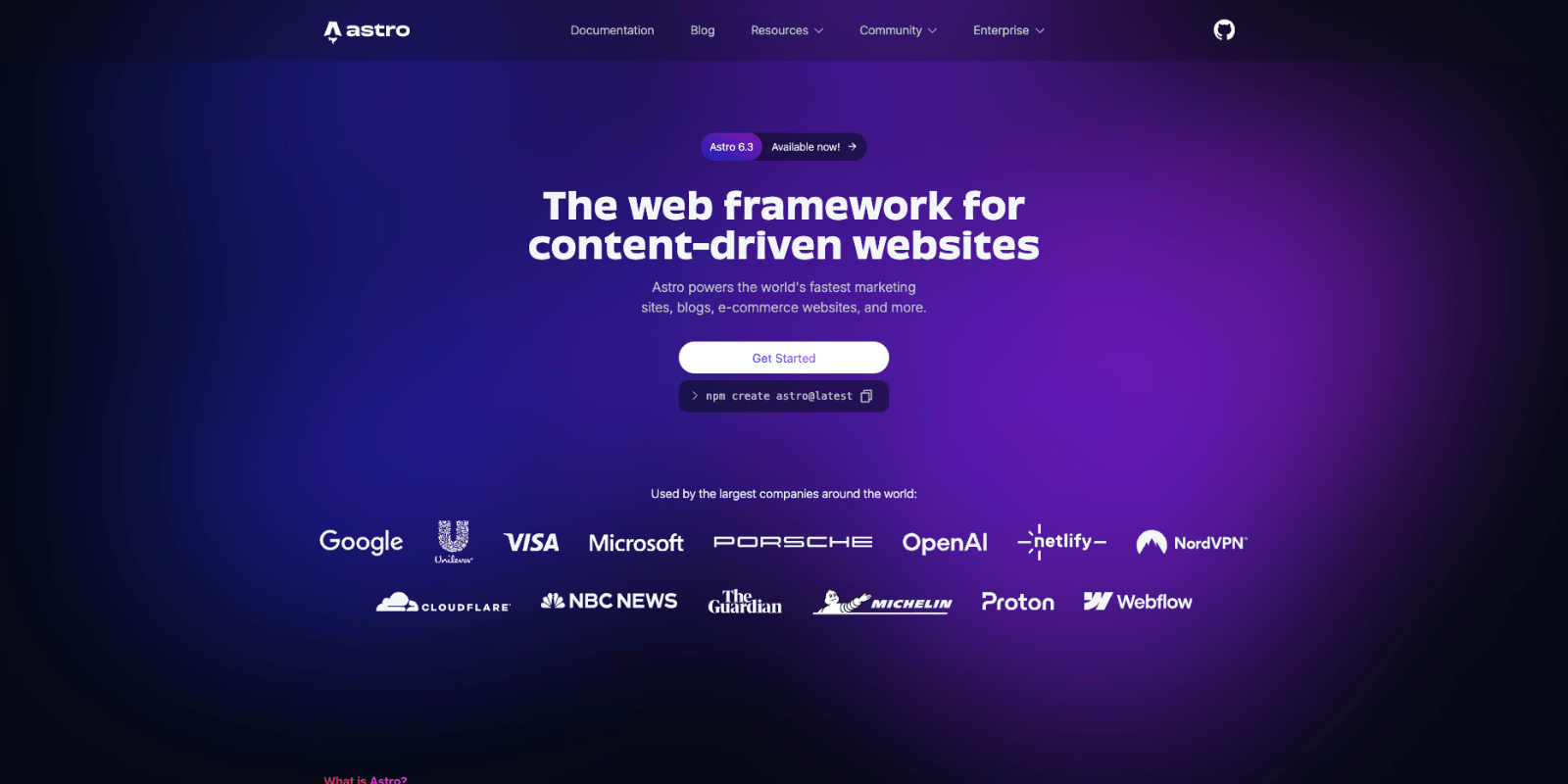
Astro generates static HTML at build time. There is no client-side rendering and no JavaScript hydration required for content to appear. When Google’s crawler visits an Astro page, it reads real, complete HTML immediately.
That means:
/blog with proper sitemaps and clean URLsEvery technical SEO issue with AI Studio disappears. Not because of a toggle you enable and hope works, but because of how Astro builds pages by default.
Your Astro site embeds a GHL form or calendar widget. When a visitor submits, they go straight into your GHL CRM. Your automations fire. Your sequences trigger. Your pipeline updates.
GHL does not care where the form is hosted. It works the same from an Astro site as it does from inside GHL. You are not rebuilding your workflows. You are not migrating your contacts. You are moving your website to a stack that handles organic search correctly.
If you want this setup without starting from scratch, Themefisher built a template for exactly this use case.
Automark is a free Astro theme built for GoHighLevel agencies and white-label SaaS resellers. GHL integration is pre-configured out of the box.
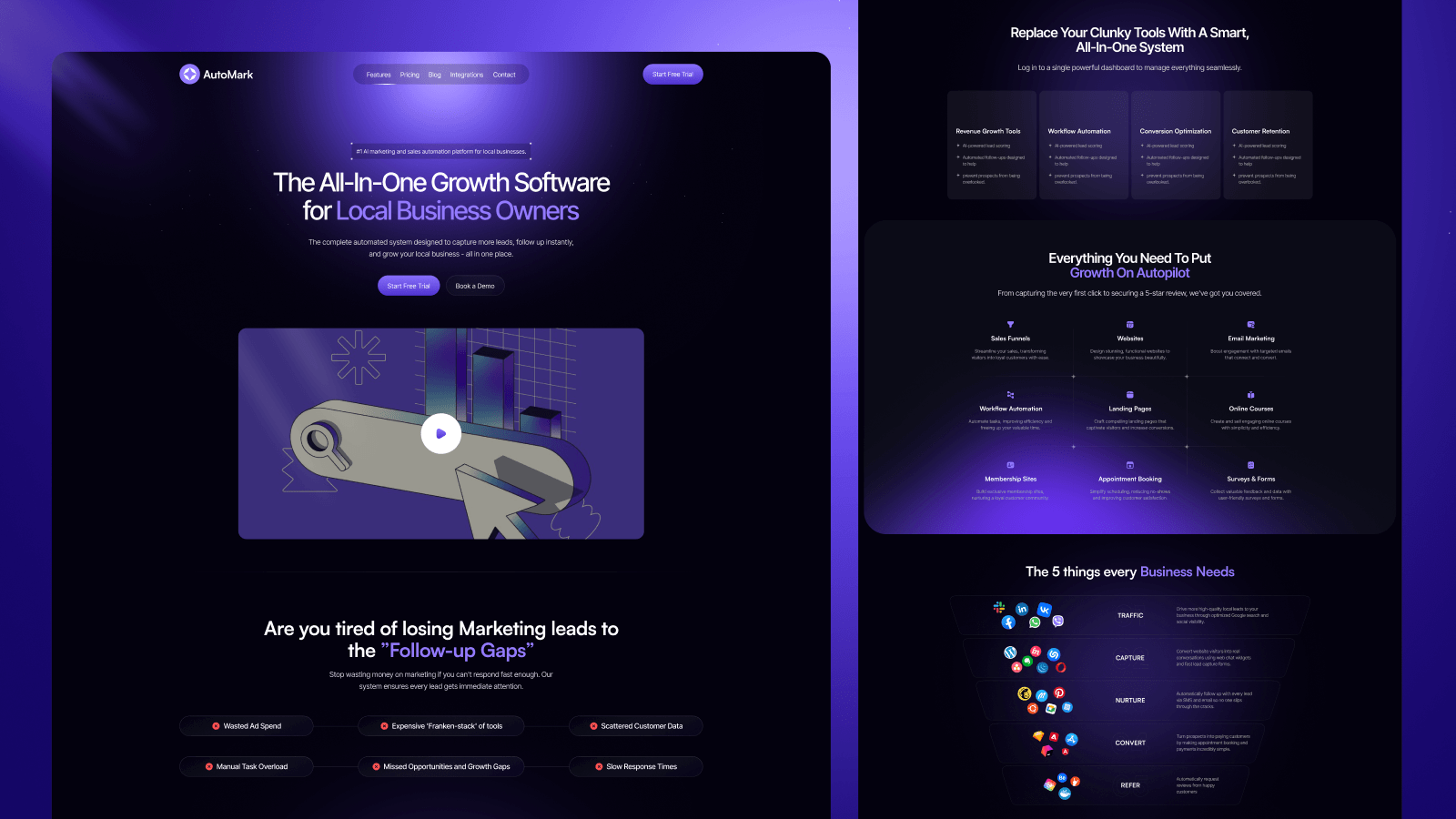
What it includes:
.agents/skills directory for Cursor, Claude Code, and VS CodeSetup steps:
yarn install to install dependencies.env.example to .env and add your GoHighLevel credentialsyarn dev to start the local development serversrc/content with your brand copy and product detailsyarn build and deploy to Cloudflare, Netlify, or VercelAstro handles your SEO. GHL handles your leads and automations.
AI Studio is useful for paid traffic landing pages, campaign-specific pages, and quick client mockups where organic search is not the goal. The problem is using it as your main website when you want to rank organically. Keep AI Studio for conversion pages. Use Astro or another static framework for your main site and blog.
Yes. GHL forms and calendar widgets embed via HTML snippet. Your contacts still go into GHL, your sequences still trigger, and your pipeline still updates. Nothing changes on the GHL side.
It has fewer rendering issues because it does not use the same React SPA architecture as AI Studio. But it still lacks the performance baseline and full technical SEO control you get with a purpose-built static framework like Astro. If SEO is a priority, a static framework is the cleaner choice.
Basic setup does not require one. Automark is pre-configured for deployment and GHL integration. Custom design changes or more complex integrations may need a developer.
Moving to Astro is a migration, not a full rebuild. Your content moves to Markdown files. Your forms and workflows stay in GHL exactly as they are. Your domain points to the new site. Zeon Studio handles this kind of migration project if you want help with it.
Based on a direct support conversation in May 2026, it does not change the underlying architecture. GHL support confirmed that AI Studio is fully client-side rendered and does not support SSR, static prerendering, or any SEO rendering mode. Advanced SEO Support exists as a toggle, but the CSR behavior is expected and by design. Slow Google indexing on new AI Studio domains is something GHL support explicitly acknowledged.
Yes. Any Astro site can embed GHL forms and calendar widgets via HTML snippet. Automark just pre-wires the integration and includes the Stripe and webhook setup. If you have an existing Astro project or prefer a different theme, the same headless approach applies.
AI Studio is a fast way to build pages. It is not a reliable foundation for organic search.
The core problem is architectural and confirmed by GHL support. AI Studio is fully client-side rendered. It does not support SSR or static prerendering. Advanced SEO Support does not change this. On top of that, AI Studio has no native blog, unreliable GTM tracking, and no global variable system.
The fix is straightforward: use GHL for CRM, automation, lead capture, and funnels. Use Astro for your public website and blog. GHL forms work identically from an Astro site. Your workflows and contacts stay exactly where they are.
Automark is a free starting point if you want the GHL-Astro connection pre-built.
If you already have an AI Studio site and want to migrate to Astro or a similar framework, reach out to Zeon Studio; we can help.